
How to Start with Newton
Basic data structure
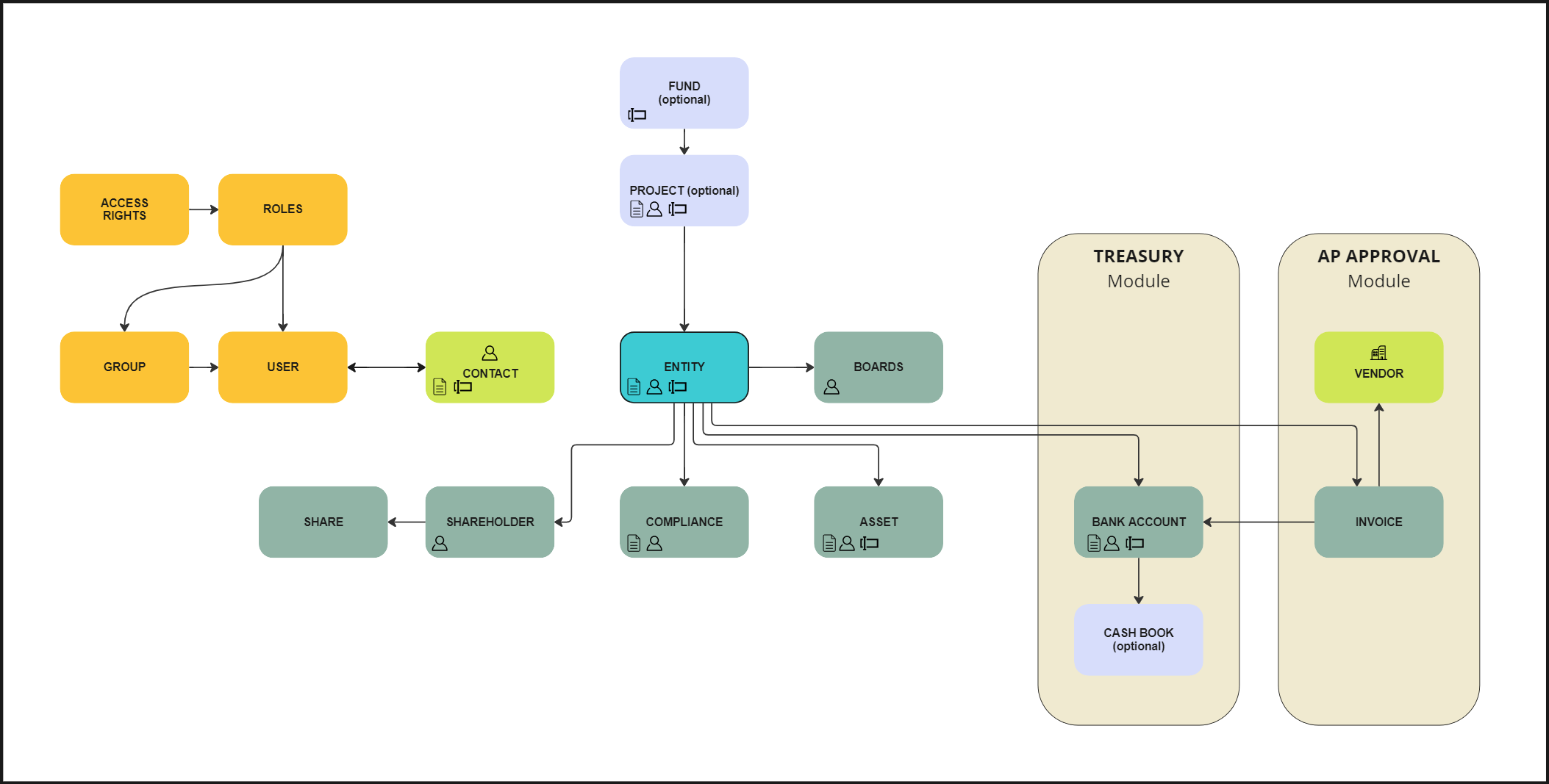
How to start?
Entities are the most central elements of Newton. Before creating your first entity, a couple of preparations should be made:
- Review and extend the basic configuration to match your requirements. The most important option groups are:
-
Options - Centralized under Configuration > Entity Type
Newton’s default entity types are:
- Master Holding – Top company of a Project
- HoldCo – Holding
- OpCo – Operational company
- AssetCo – Company that owns Assets (financial, virtual or physical)
-
Options - Centralized under Configuration > Entity Status
-
Options - Centralized under Configuration > Contact Group
-
- Create contacts and assign their contact group(s), so that the select list for responsible persons, shareholders, or directors is not empty. (This step is not mandatory as most functions provide a “quick-add” button to add new contacts.)
Main data
The first entity should be the “highest of your structure”, so that it is available as a shareholder for the subsidiary companies. Typically, this entity is a holding company. Newton uses the entity type “Master Holding” at the top of a structure (the type can be renamed and extended as needed).
To set up an entity, you will need:
- Basic data such as the name and legal form of the entity,
- Shareholders (which can be natural persons (see how to ), entities or companies not managed in Newton)
- Directors and other officers with statutory authority
- Corporate and/or tax advisors
- Other stakeholders
We recommend assigning a Role and a Group to all of them for better separation and management, but this is not required. Check Rights Management to understand the roles, groups, and overview better.
Structure
Plan the structure of your Project(s). In some cases, it makes sense to group company structures by purpose (Asset Class), and in others, by jurisdiction, project size, or stakeholders. A good structure is key for proper reporting and management.