
Documents - Centralized under Mainpoint
General
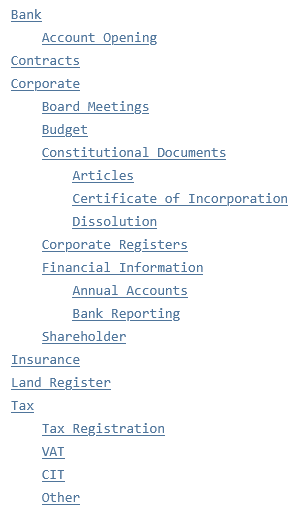
Working with documents in Newton is easy and flexible. It starts with a plan: The structure of Document Types.
For example, a structure could look like this:
Create new Document Types
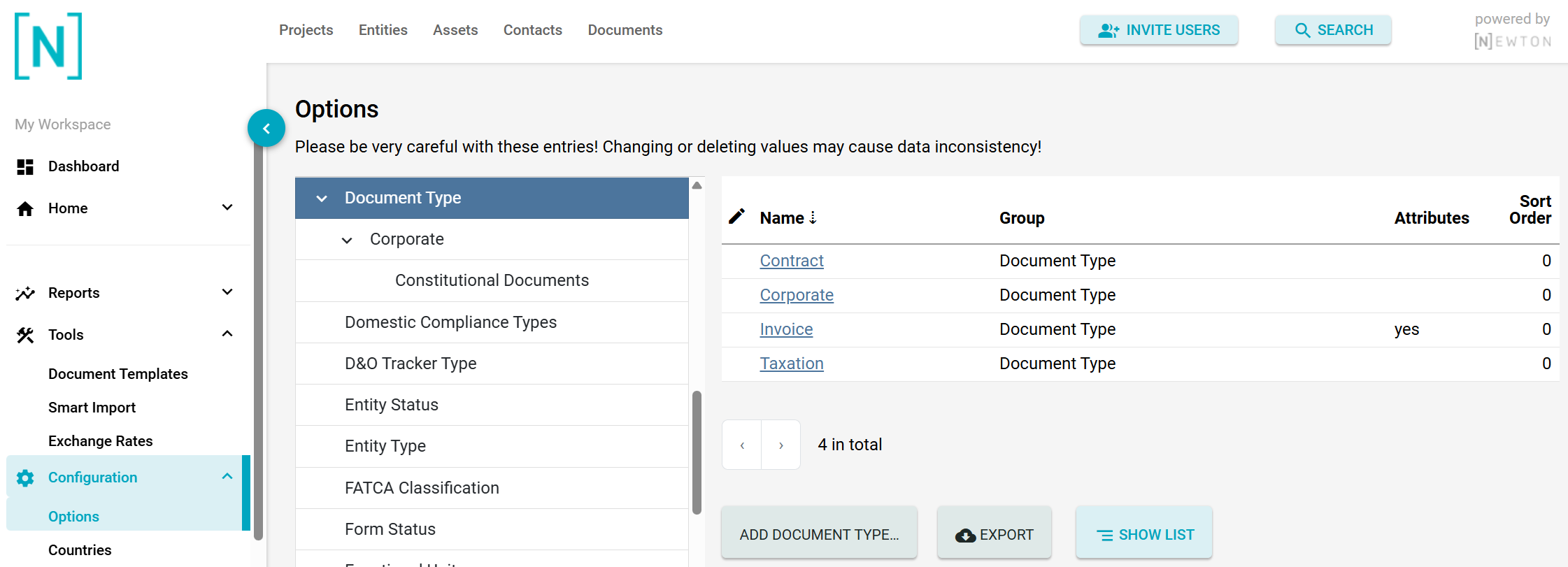
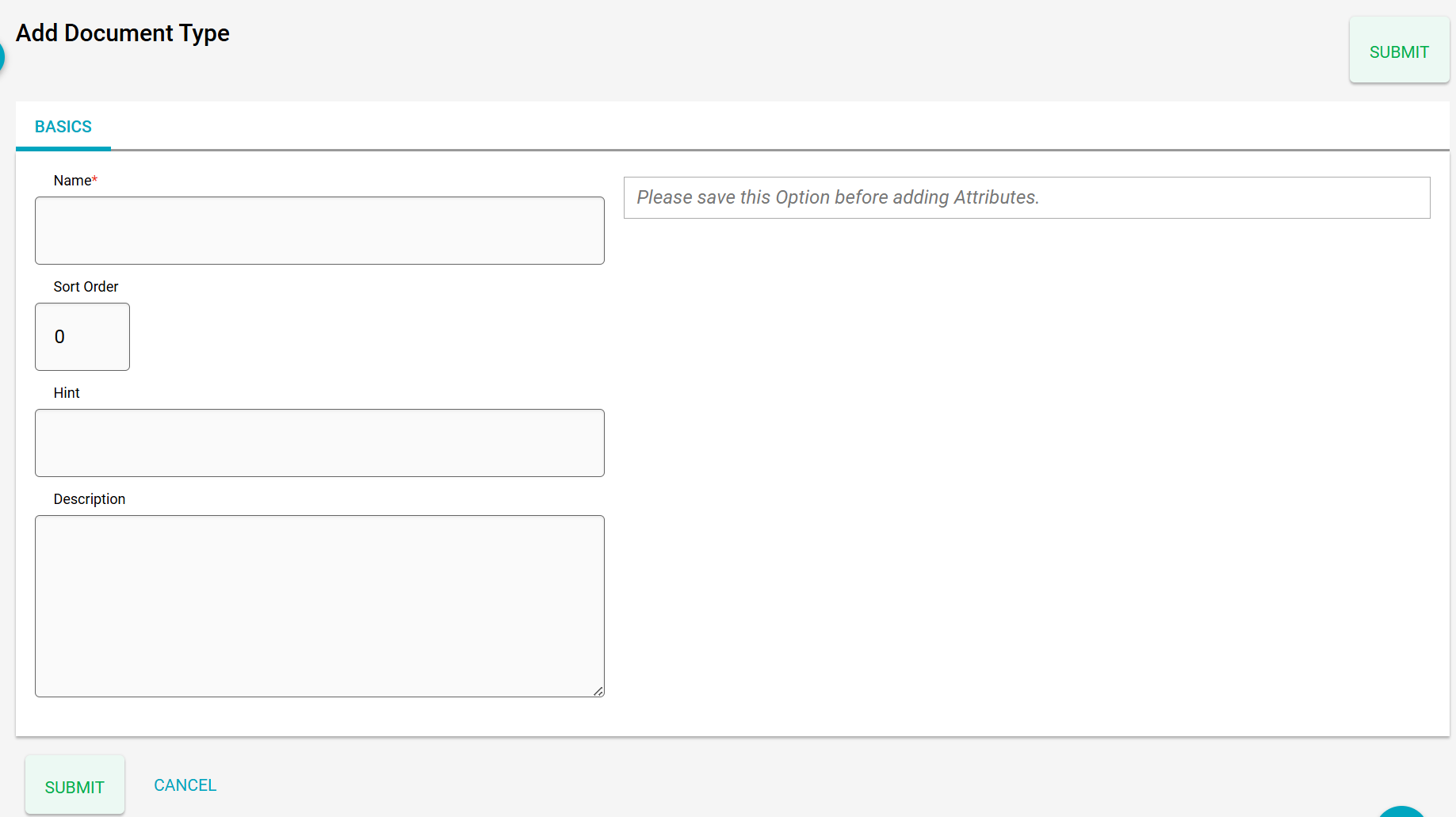
To create a new document type, navigate to Configuration and Options in the left-hand navigation.
In the Document Type group, you can add a new document type, edit existing ones, and show a hierarchy (like the one above) by clicking on the button SHOW LIST.
Document Type Attributes
Attributes can be used further to describe the behavior of documents of a particular type. For example, if they should contain a Due Date, for which data types they should be used, or if they are relevant for VAT. Here’s the complete list:
List of Attributes
| Attribute Name | Description | Example | Attribute Name | Description | Example |
|---|---|---|---|---|---|
| has_expiration_date | Date of expiration. The responsible person (if set) will be notified prior to expiration. | 2029-12-31 | |||
| has_due_date | Due date. The responsible person (if set) will be notified before this date is reached. | 2030-06-30 | |||
| has_reference_month | If activated, documents will have a select box for a reference month (1-12). | 12 | |||
| has_reference_quarter | If activated, documents will have a select box for a reference quarter (1-4). | 4 | |||
| has_reference_year | If activated, documents will have a select box for a reference year, and can be filtered by it in the corresponding section. | 2025 | |||
| is_relevant_for_registration_no | If activated, a doc icon linking to the document(s) of the type will be displayed on the entity’s basic tab. | | |||
| is_relevant_for_vat | If activated, a doc icon linking to the document(s) of the type will be displayed on the entity’s basic tab. | | |||
| model | List of data points where this document type should be available. If empty, the type is visible for all data points. | Entity, Asset | |||
| responsible_contact_group | This determines to which Contact Groups a contact has to belong in order to be offered as a responsible person. | All active contacts |
Document Templates
You can also create new documents from document templates. Those can contain data from Newton, depending on the data point. A How-To guide can be found Working with Document Templates.